
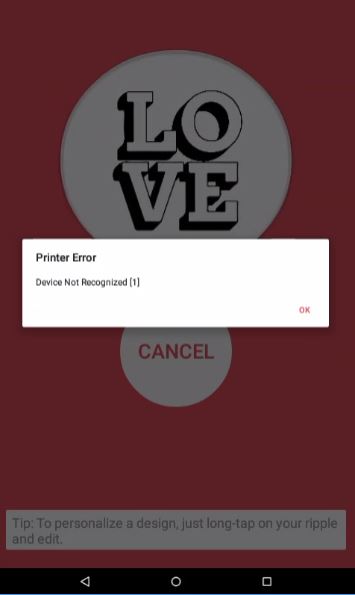
This article will discuss how to troubleshoot when your Ripple Maker is not printing and producing an Error 1.
Symptom:
Printer error device not recognized Error 1
Action:
1. Make sure the White Cable (Data Cable) is connected from both ends:
A. Turn off the Ripple Maker, Open the front door of the Ripple Maker - move the pod housing to the right, make sure the Data cable is not loose:
B. Open the back door of the Ripple Maker (loosen the screw on the top left corner) - make sure the White Cable (Data Cable) is not loose, if it is, open the 2 brown pins, make sure to push the Data cable inside and close the 2 brown pins together (not one and then the others, both together):
BK, AAACK, AAADK:
AAAEK and newer:
2. Make sure the print card is not damaged / dirty:
If it is, please turn off the Ripple Maker and clean it gently with a dry paper towel.
3. Turn off and back on:
Press the power button until the white light turns off.
If the problem persists please contact Ripples' support- Support@Drinkripples.com or call your local support number.
Comments
0 comments
Please sign in to leave a comment.