
This article describes how to troubleshoot issues regarding the synchronization of the mobile queue.
Symptom:
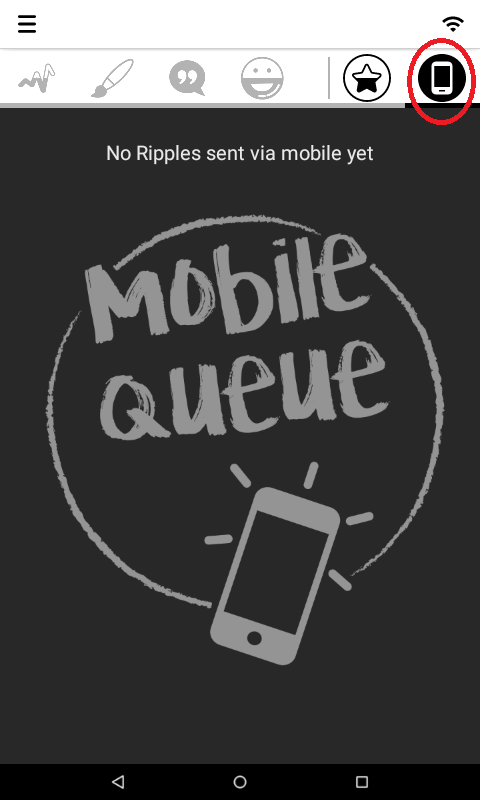
Action:
1. Make sure the Ripple Maker is connected to the internet.
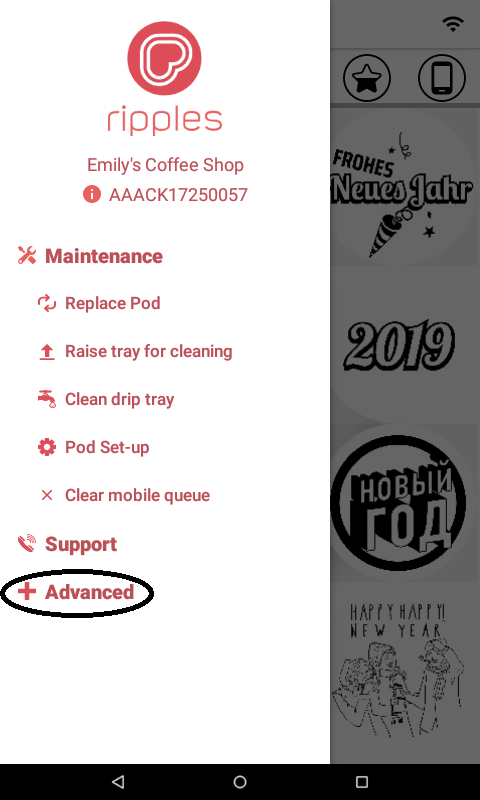
2. On the side menu, tap "Advanced":
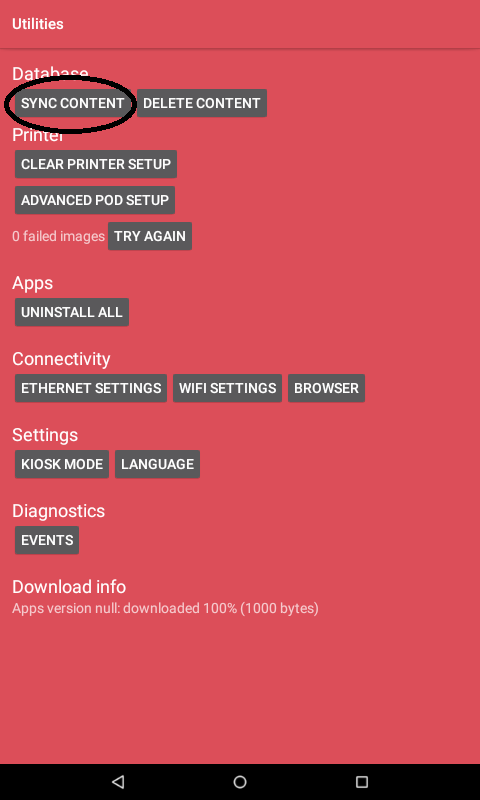
Tap "Sync Content":
3. On the side menu, tap "Advanced":
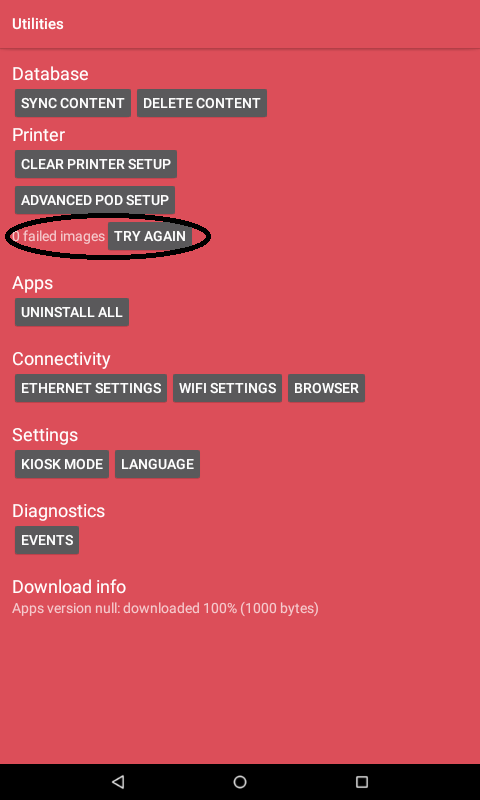
*See the number of "Failed Images", then, tap "Try again":
* On the side menu, tap "Advanced":
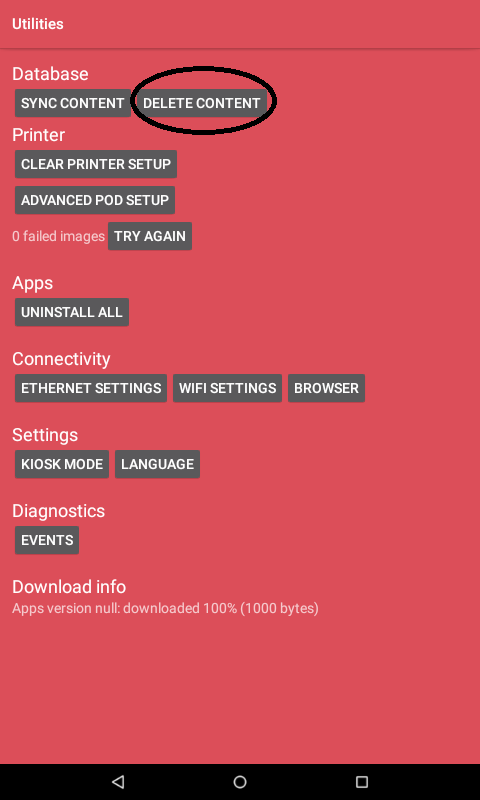
Tap"DELETE CONTENT" - it will delete all content and will start to re-download it:
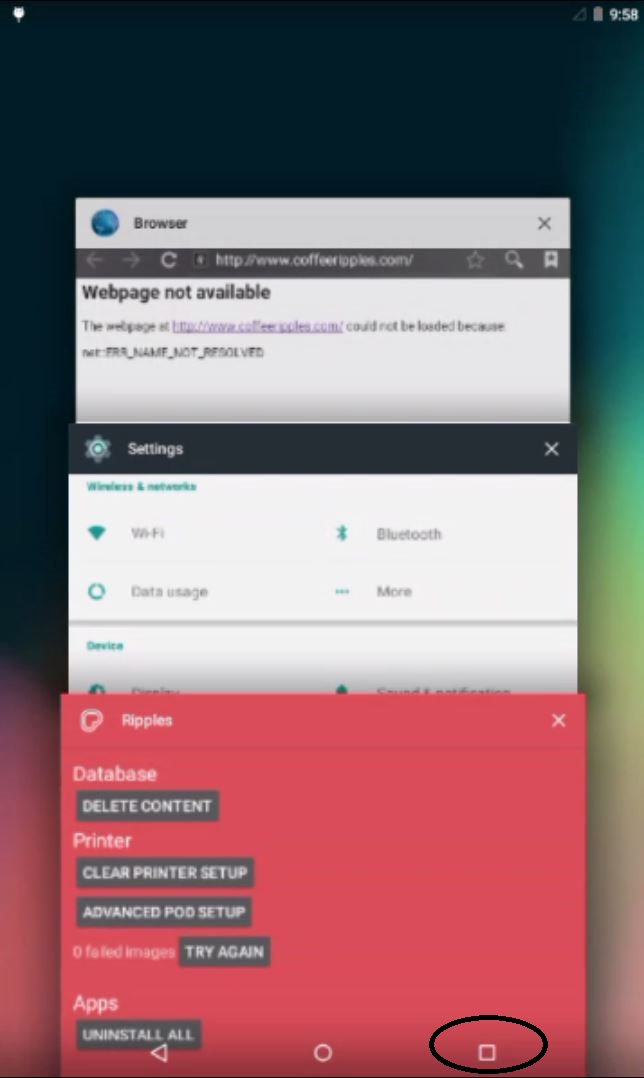
4. Tap the Overview( ) and close all open applications:
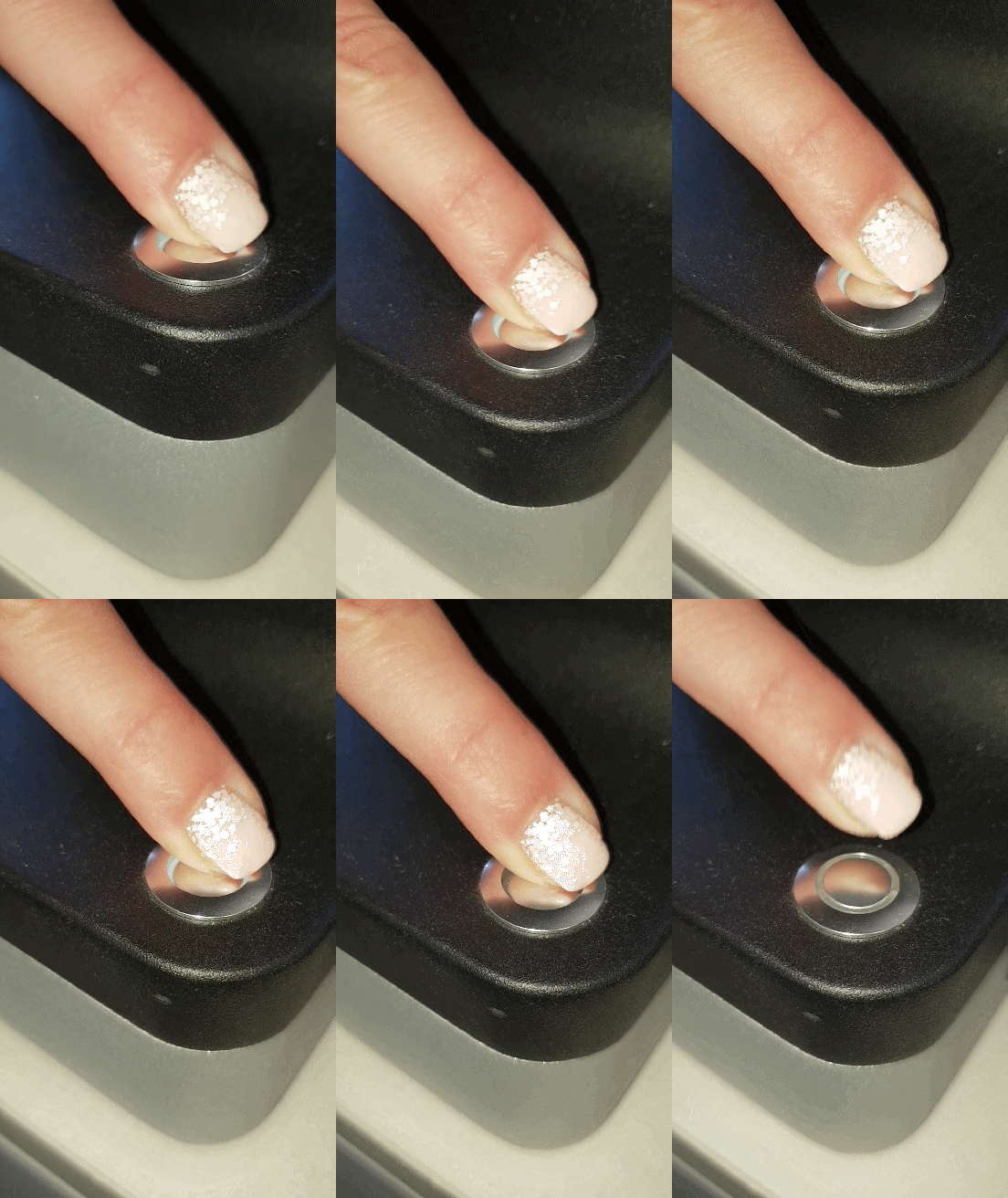
5. Restart the Ripple Maker.
If the problem persists please contact Ripples' support- Support@Drinkripples.com or call your local support number.
Comments
0 comments
Please sign in to leave a comment.