
This article describes how to troubleshoot when your Ripple Maker prints unevenly.
Symptom:
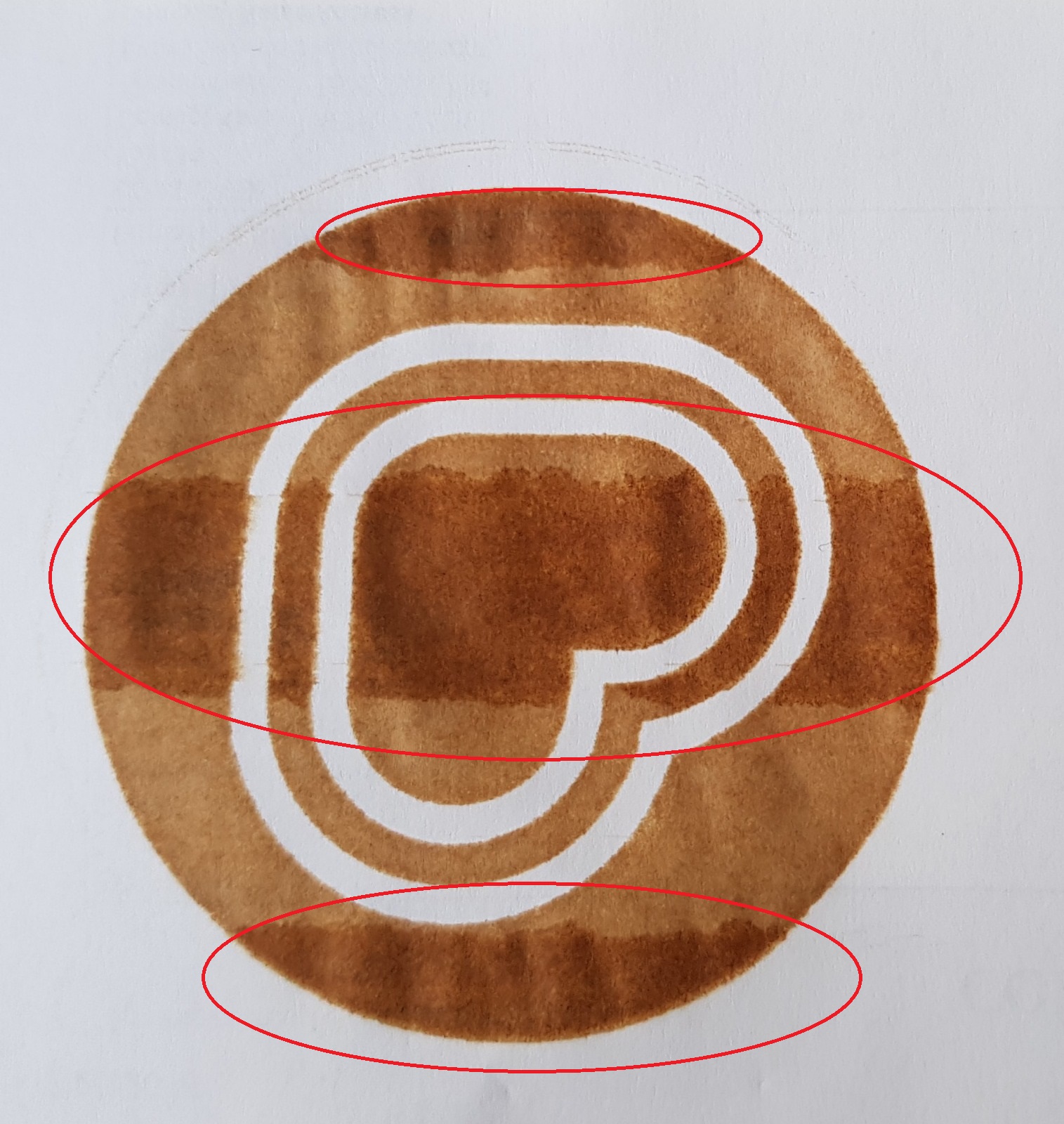
*Before you start, please make sure:
- The pod is not expired
- The pod is not damaged
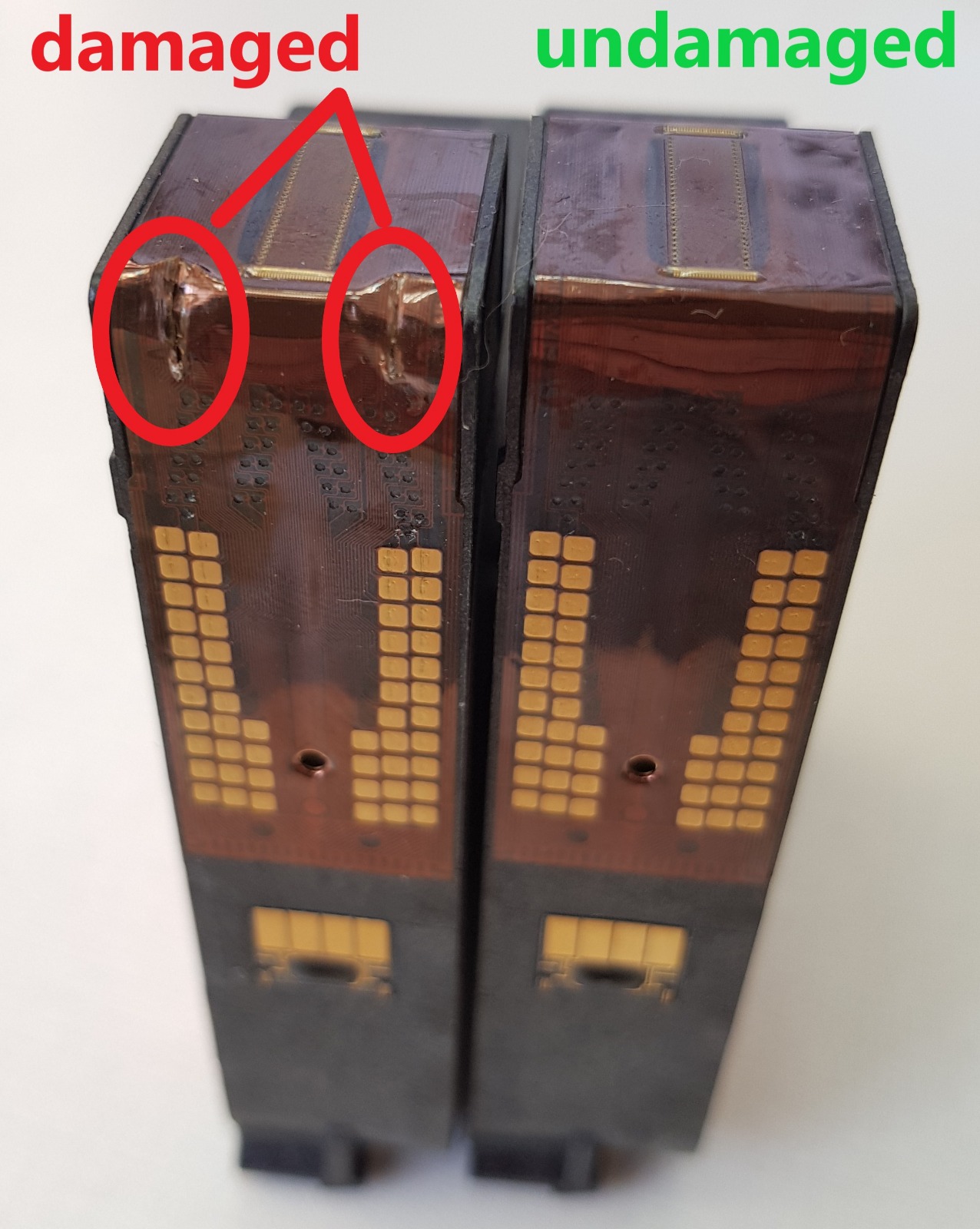
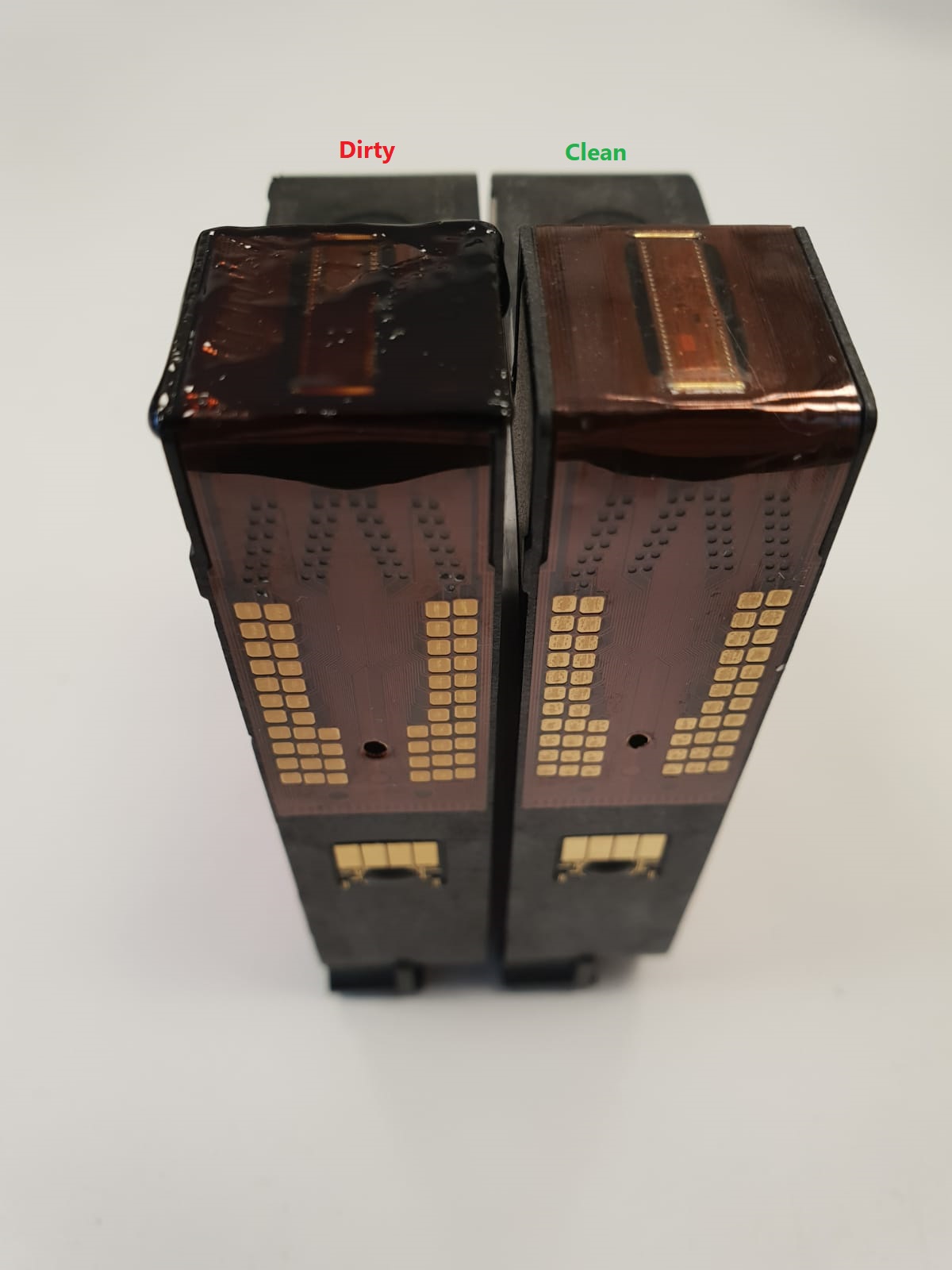
- The pod is not dirty or clogged
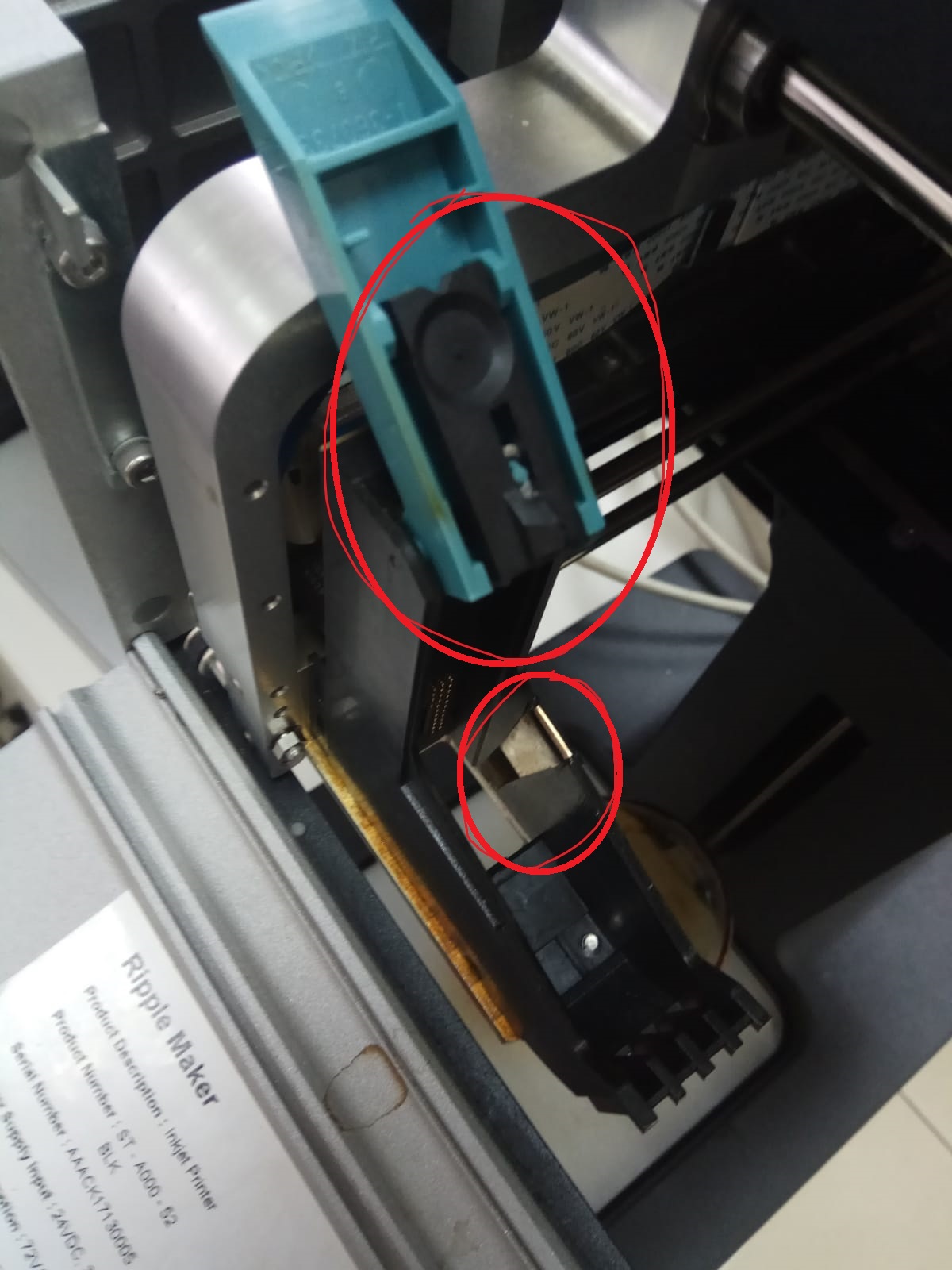
- The black plastic part + metal part are in place

Action:
1. Turn off and back on:
Press the power button until the white light turns off.
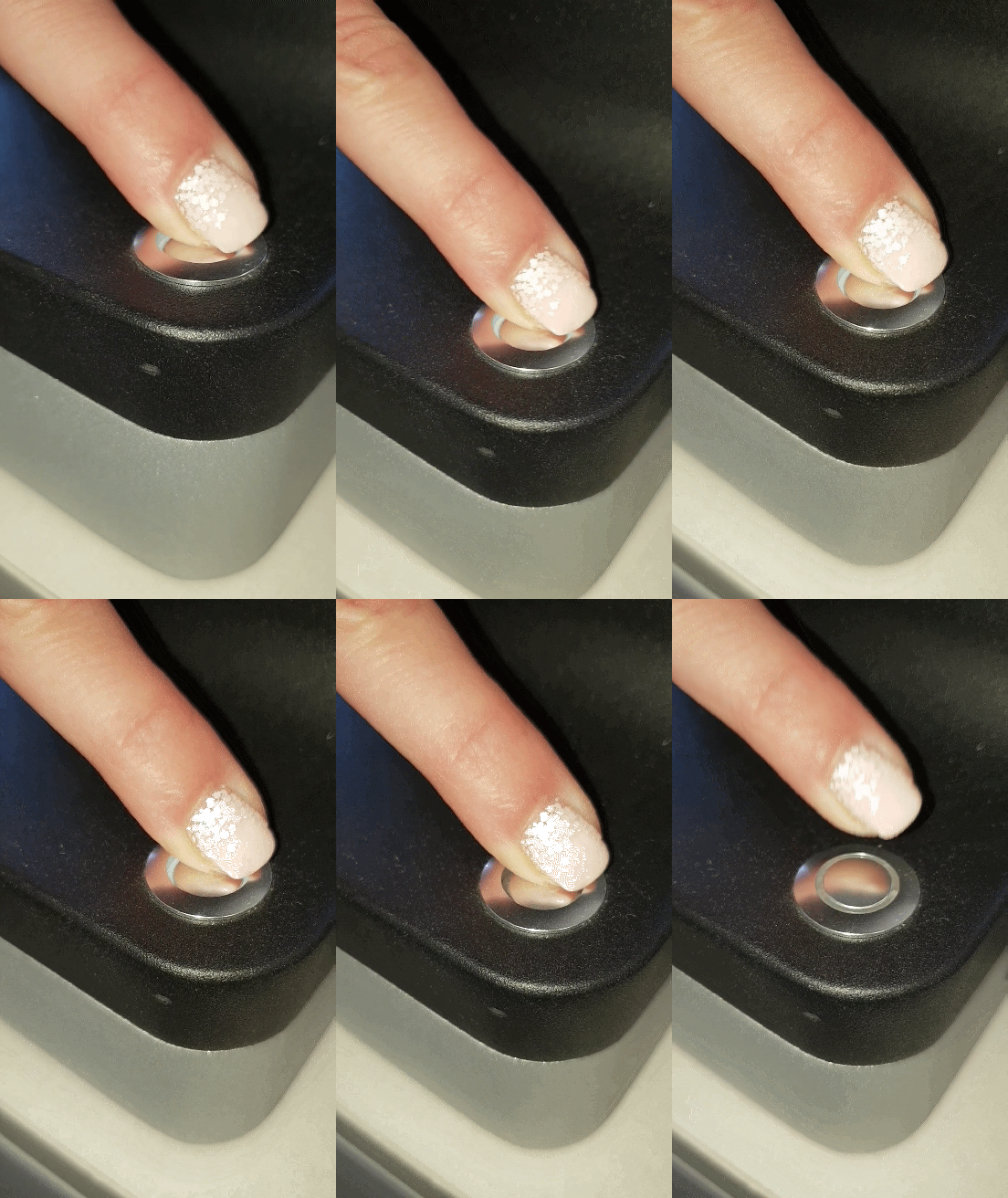
If the problem persists please contact Ripples' support- Support@Drinkripples.com or call your local support number.
Ripples Care Center Agent - Tap here.
Comments
0 comments
Please sign in to leave a comment.