
Connectin by Wi-Fi:
- Connect your Ripple Maker to Wi-Fi.
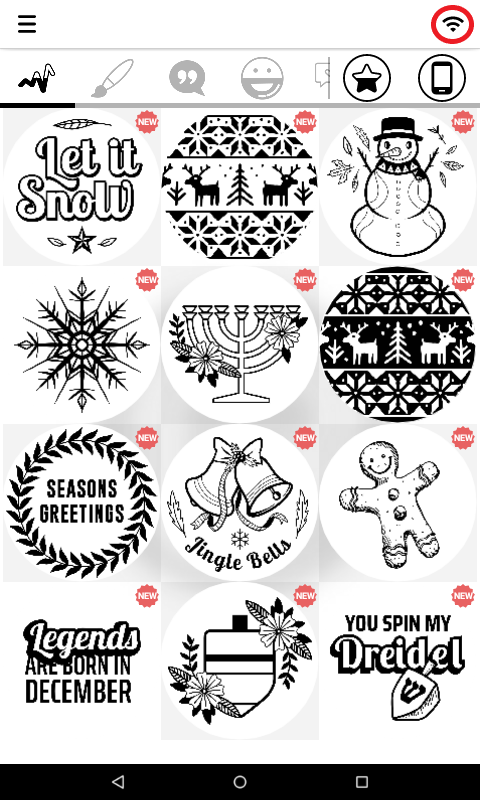
-Click again on the Wi-Fi icon.
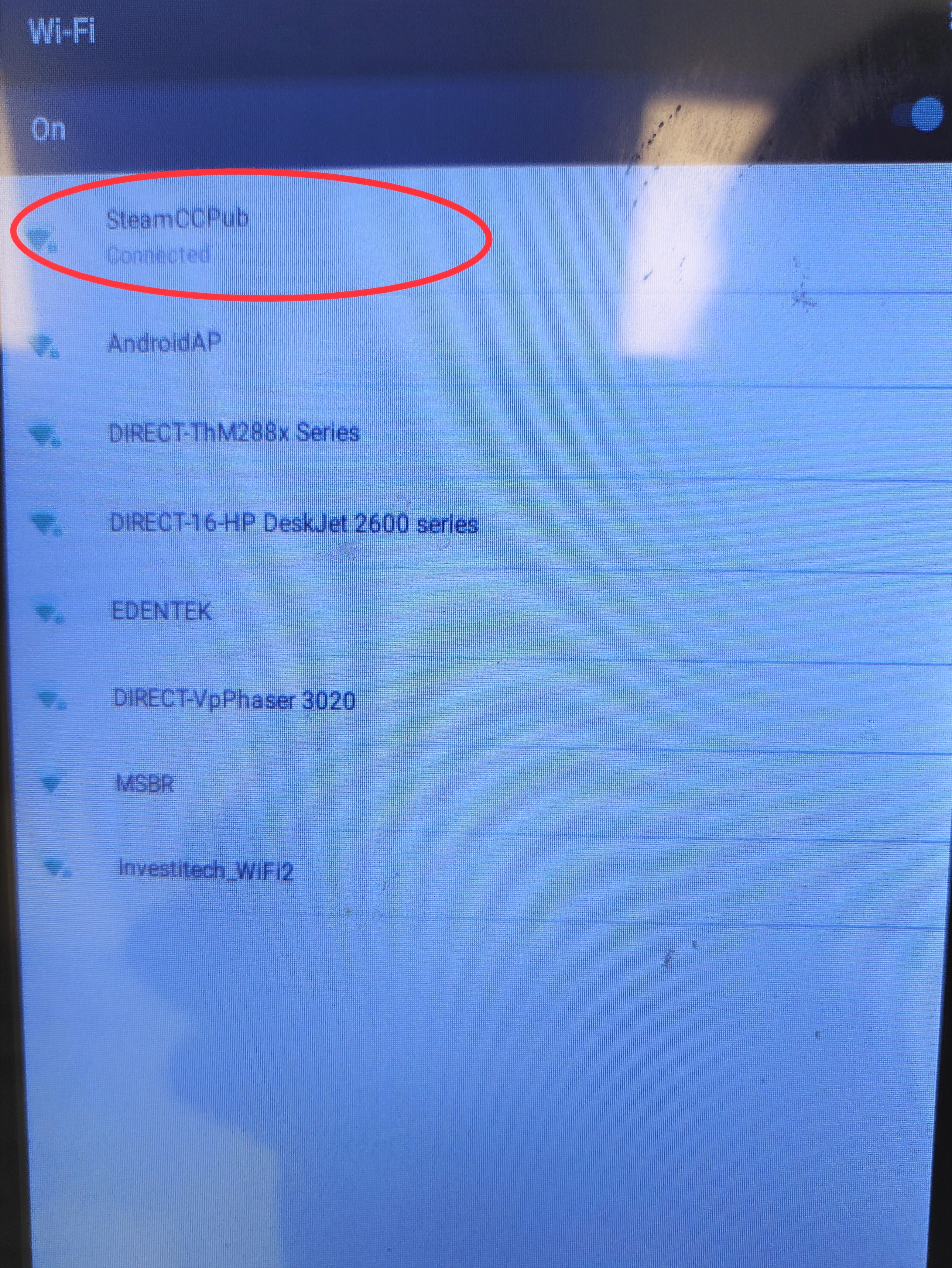
- Long tap the Wi-Fi network you are connected to:
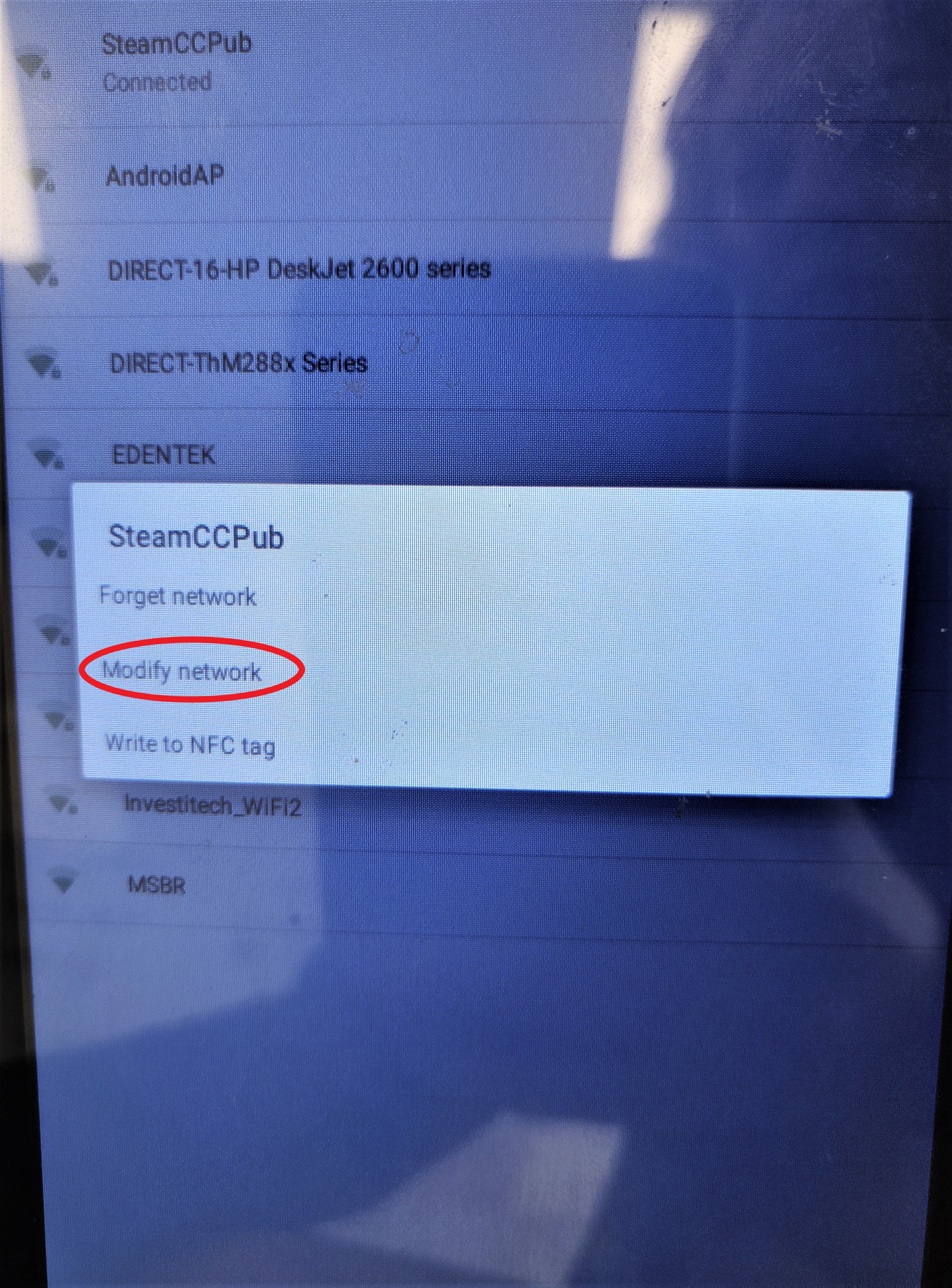
- Choose "Modify Network":
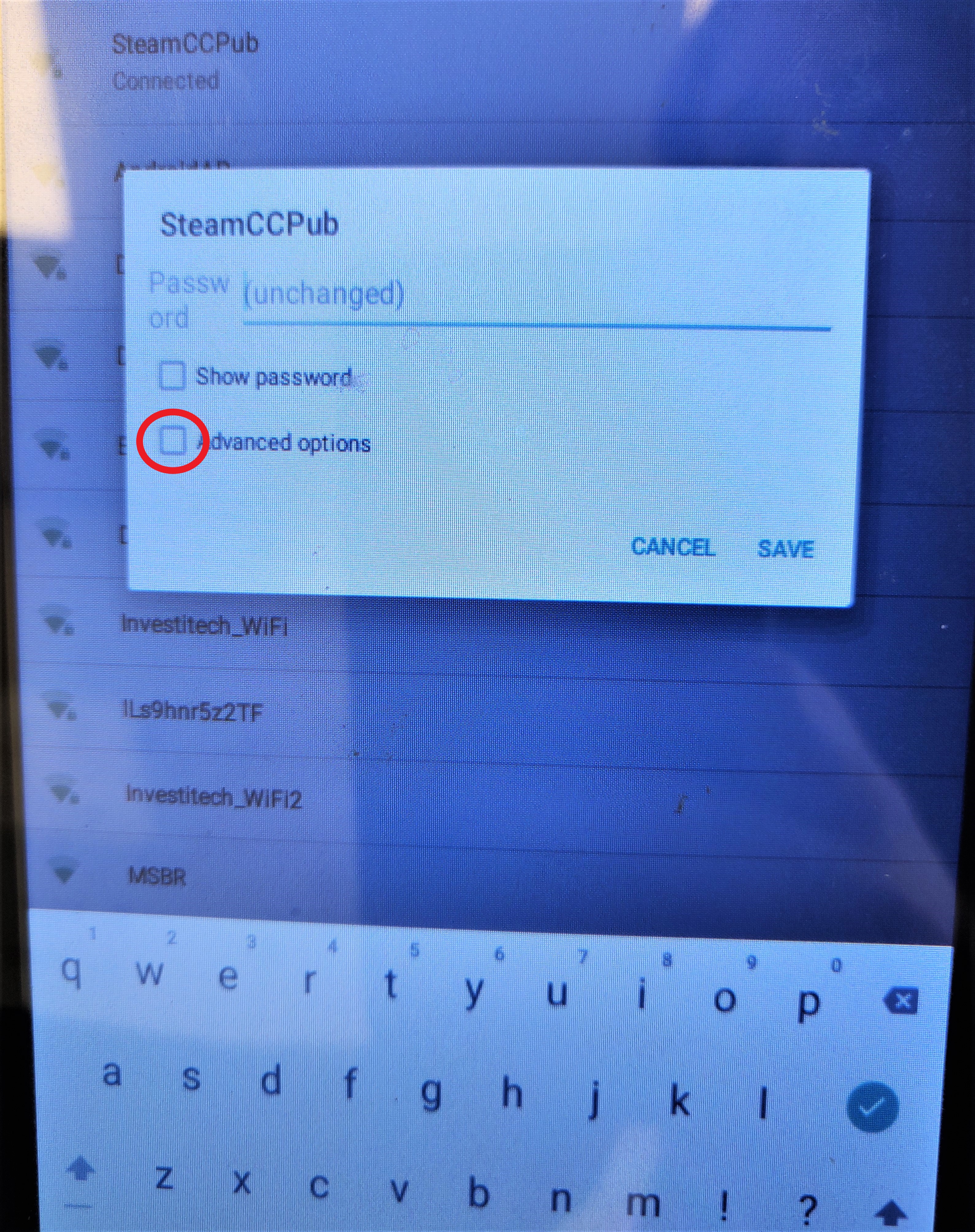
- Click "Advanced Options":
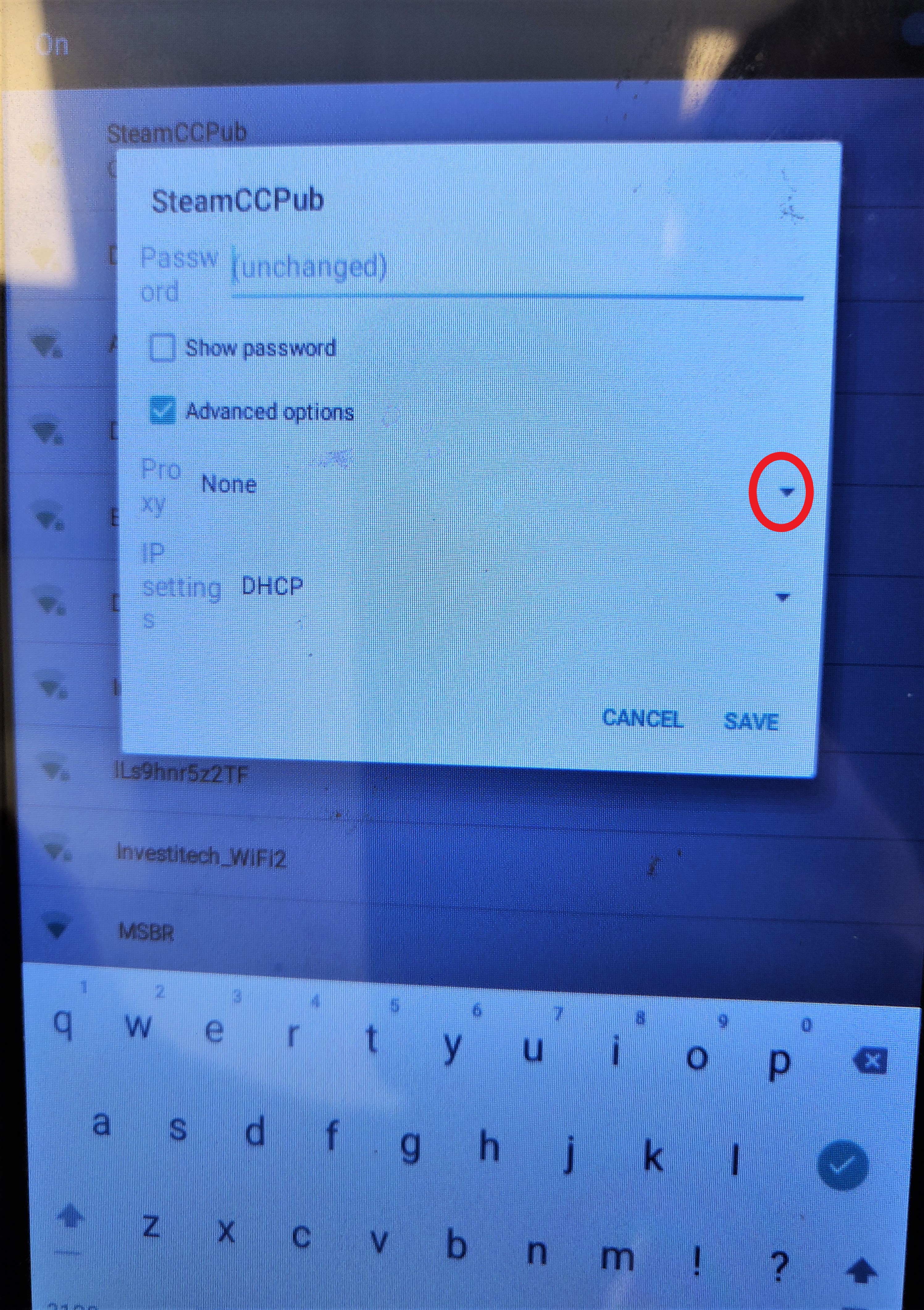
- Hit the circled arrow:
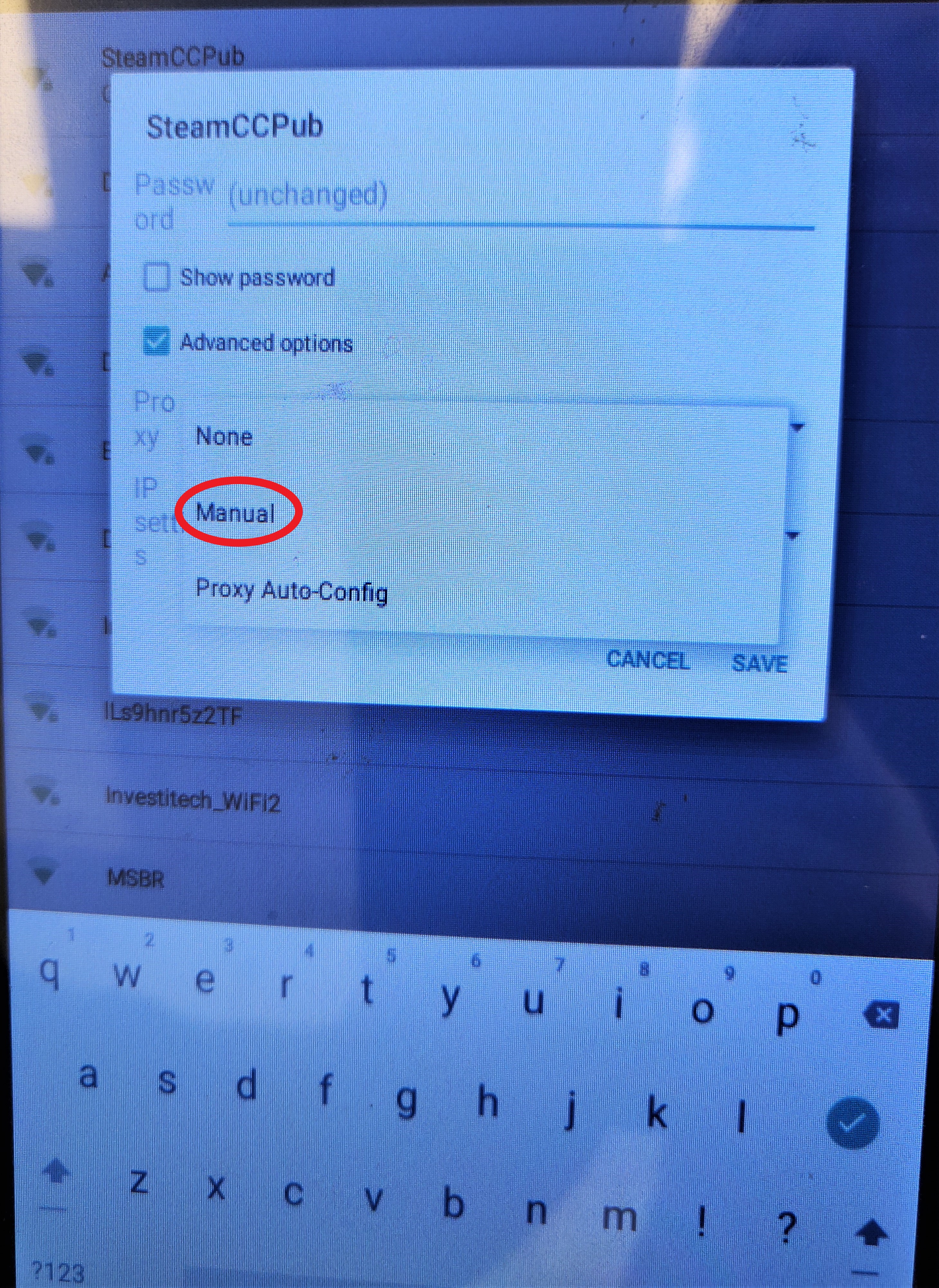
- Choose "Manual":
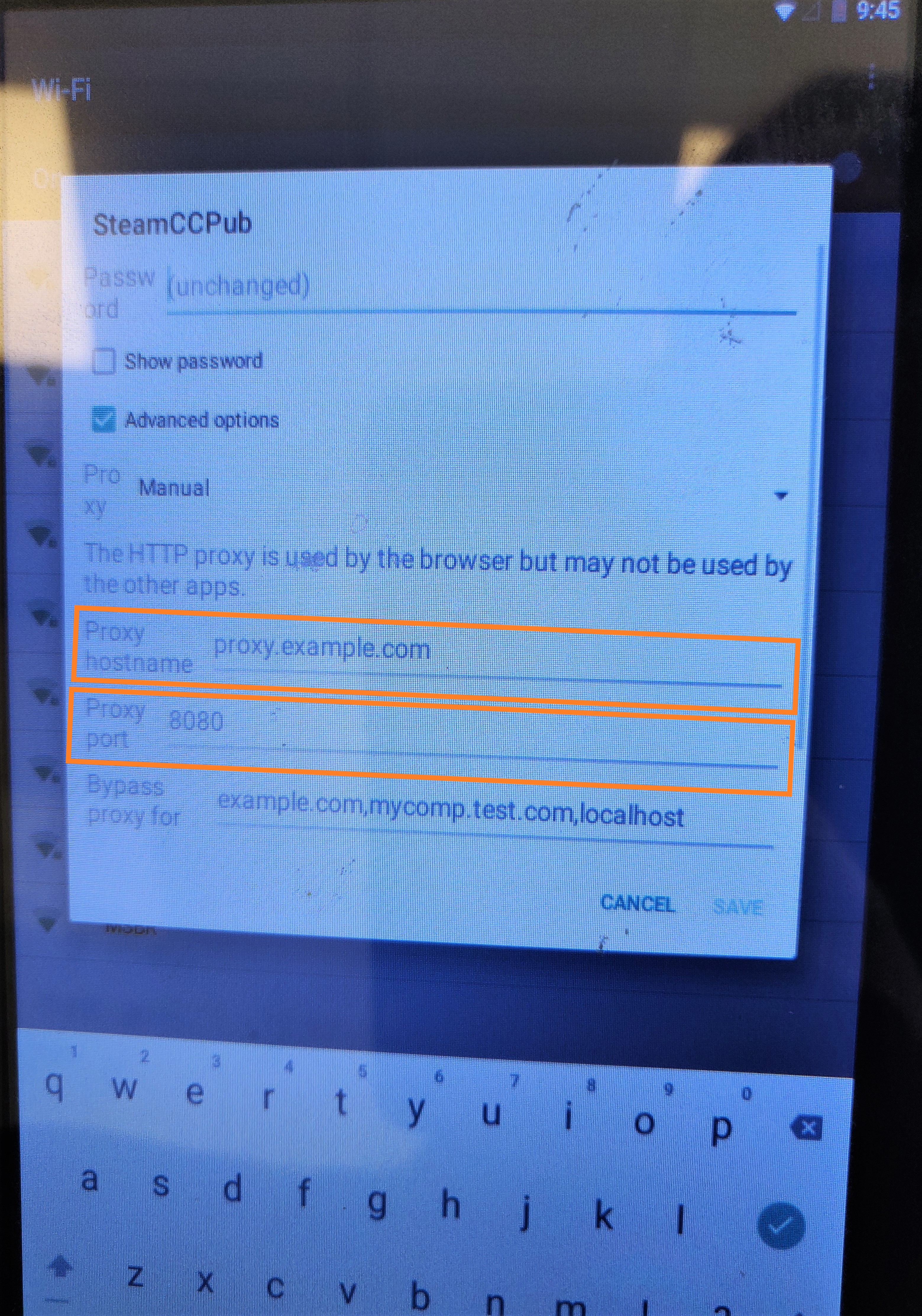
- Add your Proxy hostname and Proxy port and hit "save":
You are all done!
Connectin by LAN cable:
*Please make sure you are connected to a LAN cable before starting.
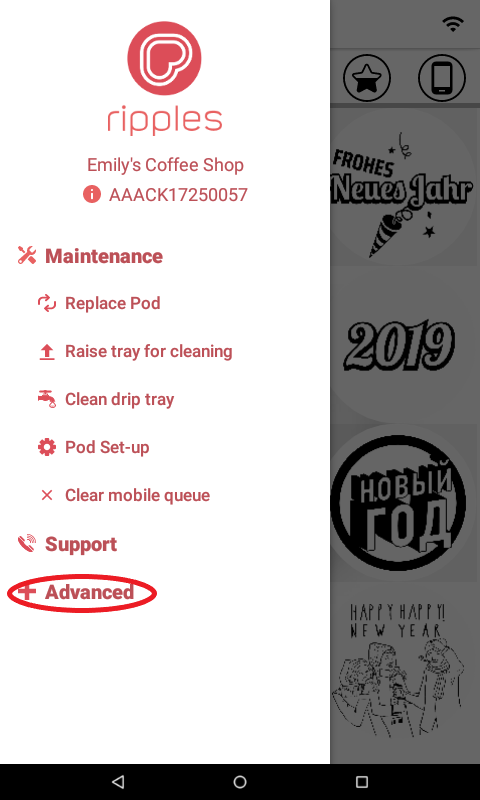
- Open the Menu and click "Advanced":
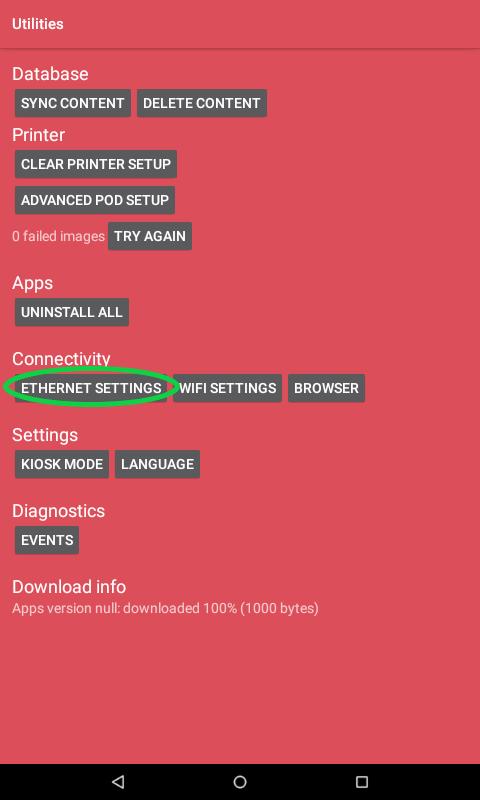
- Click "Ethernet Settings":
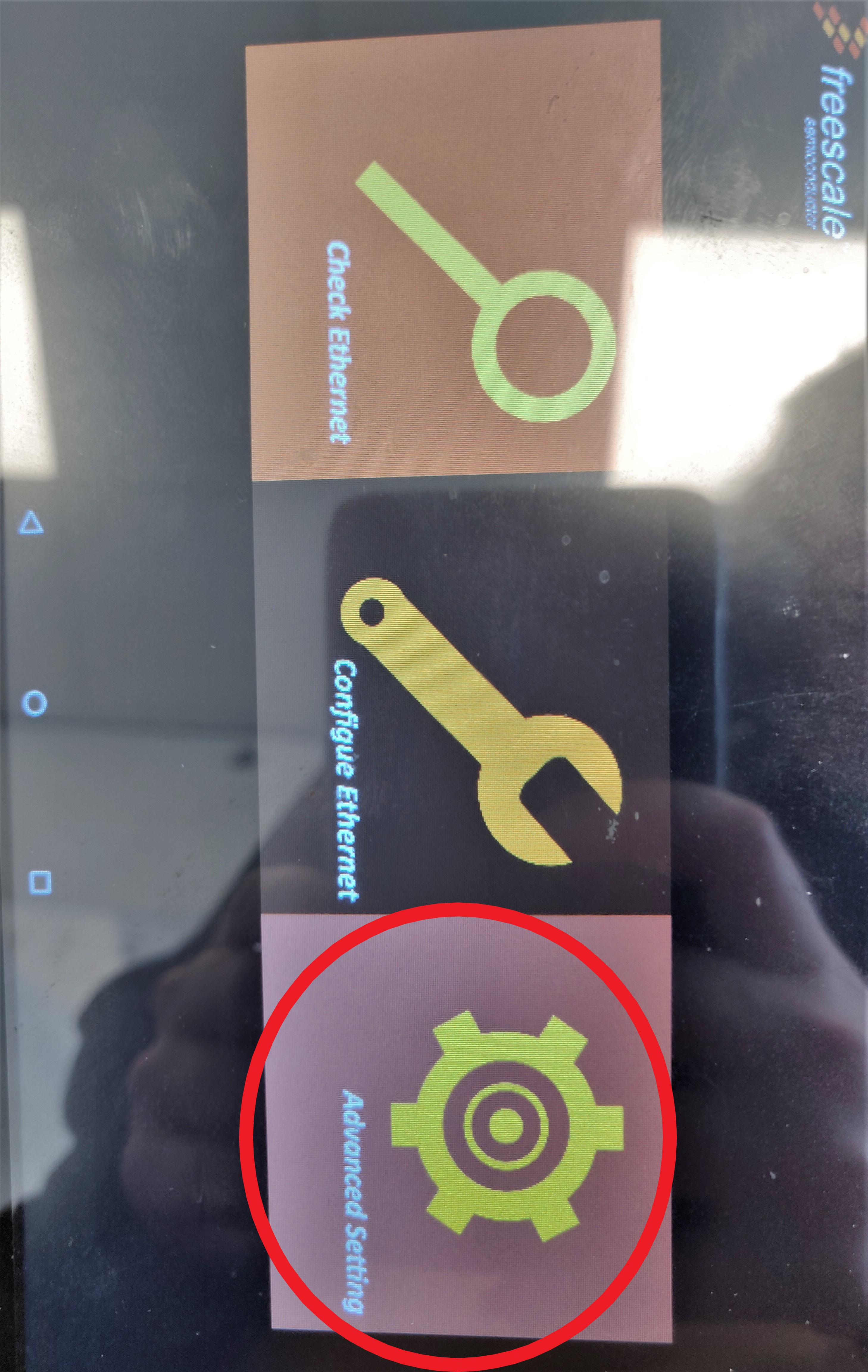
- Choose "Advanced settings":
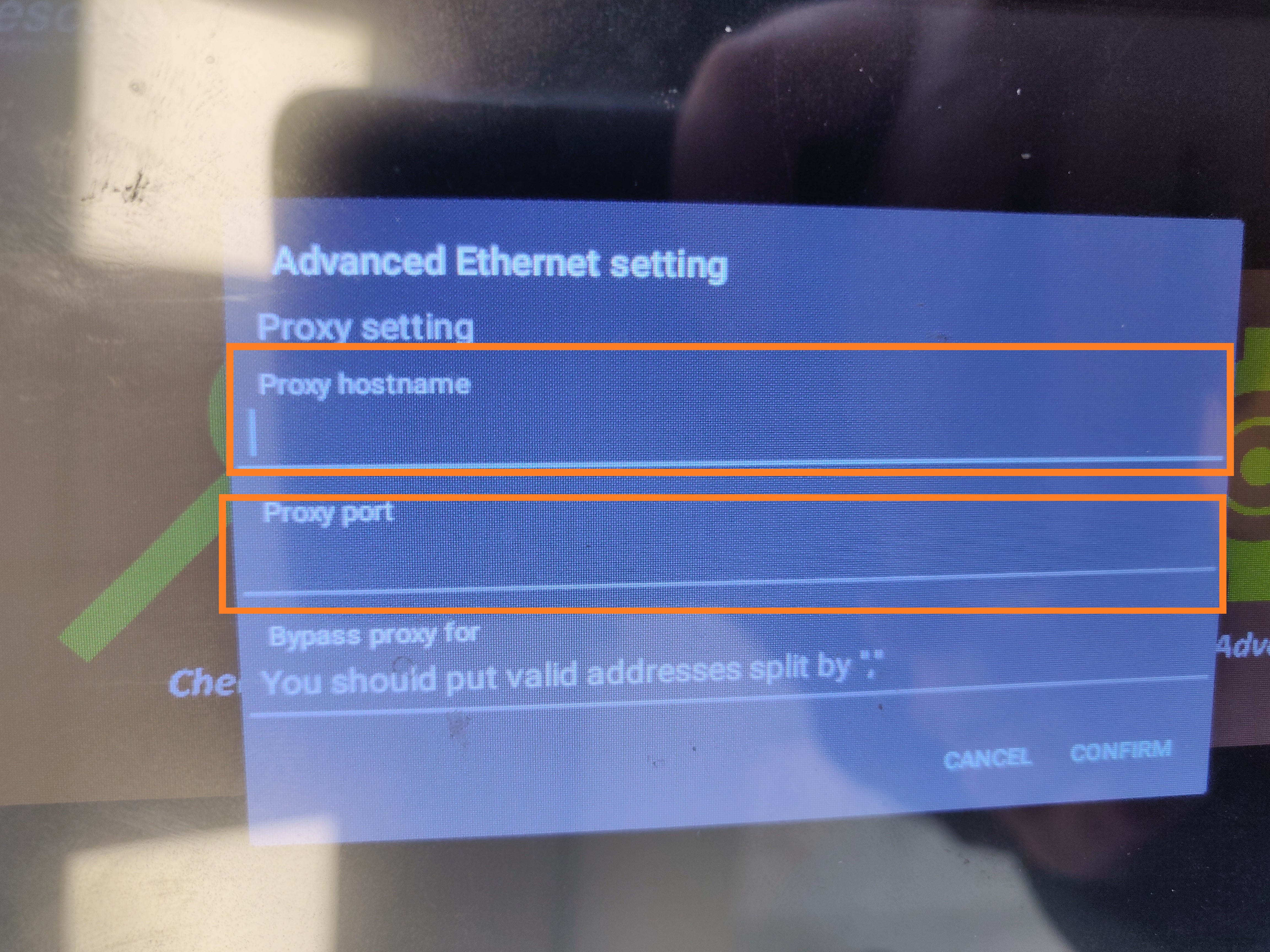
- Add your Proxy hostname and Proxy port and hit "save":
You are all done!
Comments
1 comment
FOR MORE DEATAIL -https://www.mywifiassist.com
Please sign in to leave a comment.